Coming to UNA Watch
Follow the line with UNA
HybridX Trail puts your route on your wrist. Plan it in OS Maps, Komoot, Strava or anything that exports a GPX, copy it to your watch, and follow the line. A buzz before each turn, and another if you leave it.
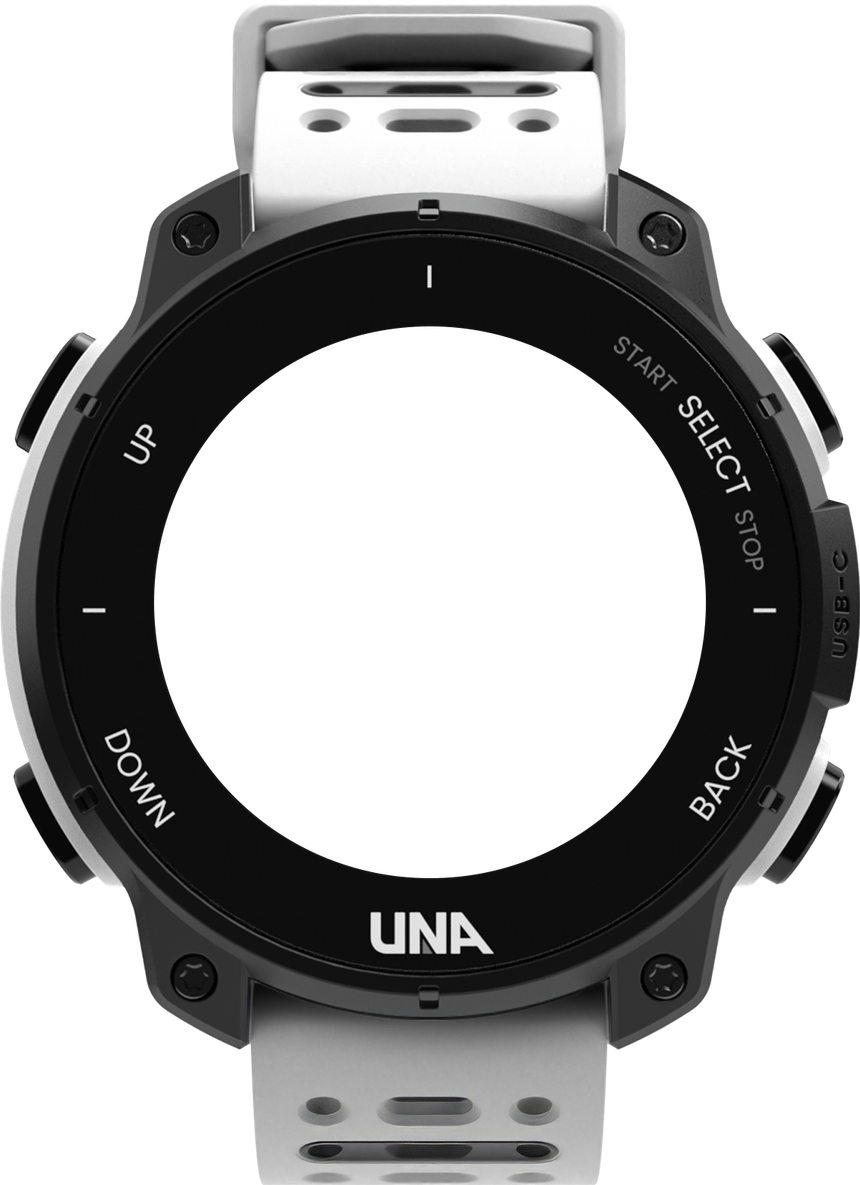
No map tiles.
No street names.
No rerouting.
Just the line.
Breadcrumb navigation, the way the classic running watches did it. The route as a line, you as an arrow on it, a buzz before each turn and another if you leave it. Everything a runner needs to stay on course, all of it on the watch, so nothing needs a phone signal.
How it works
Plan it anywhere. Follow it on your wrist.
- 01ridge-loop.gpx1,421 points
Plan it anywhere
Draw a route in OS Maps, Komoot, Strava or any planner, and export it as a GPX. The watch reads the file as it is: no converting, no syncing.
- 02
UNA WATCH (USB)
- Apps/
- HybridXTrail/
- Routes/
- coast-path.gpx
- sunday-long.gpx
Eject, unplug, and it’s ready
Put it on your watch
Plug the watch into a laptop, or into your phone with a USB-C cable, and drop the file in its Routes folder. Sending a route from your phone with a tap, over Bluetooth, works in testing and is on its way.
- 03
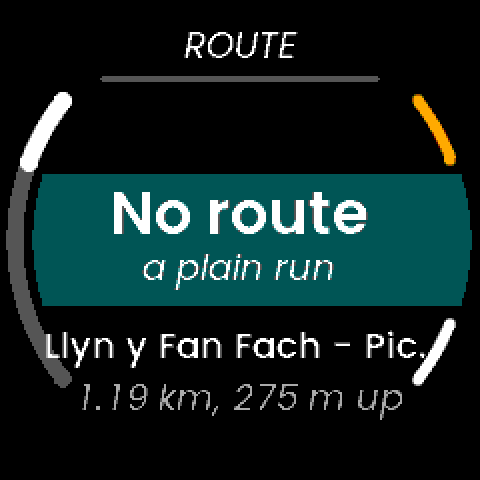
Pick a route and run
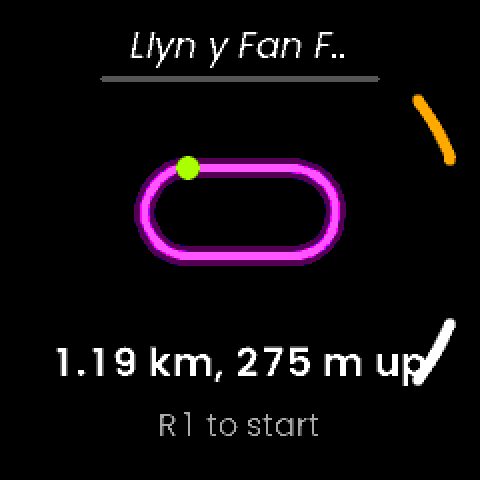
Choose it from the list, with its distance and climb, check its shape, and start. The map, your run and your heart rate, all in one app.
Try it
Take it for a run. Bring your own route.
The watch’s map screen, following a runner round a demo loop, fast-forwarded. Zoom in and out, turn the map, watch the turns get called, and press Wander off to see what happens when you leave the line. Or drop in a GPX of your own.
- Done
- 0 m
- To go
- —
- Off the line
- 0 m
- Route
- Ridge loop · demo
- Length · climb
- 14.2 km · 649 m
- On the watch
- up to 2,000 points, 10 m apart
Try your own route
Drop a GPX on the map, or choose one. It’s read here in your browser, the way the watch would read it, and never leaves your device.
The watch here is drawn by this page, after the app’s real map screen; the real screens are below. Reading your file, the points kept, the distances, the zoom levels, the turns and the off-course alert all use the app’s own rules. Fast-forwarded about ten times, so the buzzes come quicker than on a run.
Off-course alerts
Wander off? You’ll feel it.
- A fork in the path.In the mist, both look right. You take the wrong one.
- Fifty metres out, it buzzes.Past 50 m for five seconds, your wrist buzzes and the map jumps up with a banner: how far you are from the line, and an arrow pointing back to it. Stay off and it reminds you every minute.
- Head back. It tells you when you’re on it.Back within 30 m for three seconds, a second buzz and “Back on course”. A wobbly GPS fix or a tight switchback won’t set it off.
0 mfrom the line · alert past 50 m for 5 s, clears within 30 m for 3 s
On the way round
Eyes on the trail. The watch minds the line.
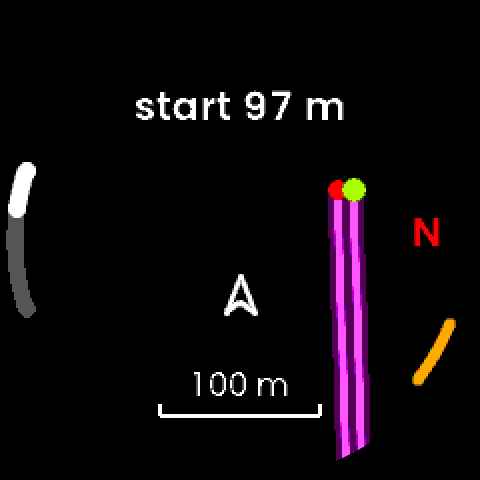
The line, and you on it
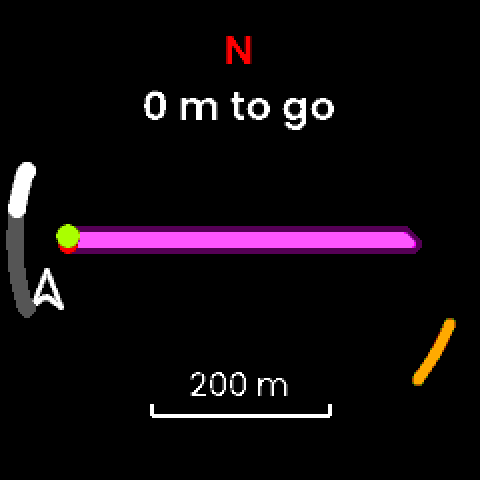
Heading up or north up. Zoom with the watch’s up and down buttons, from 60 m to 3.5 km to the edge of the screen, or the whole route. Before you reach the route, it tells you how far away the start is.
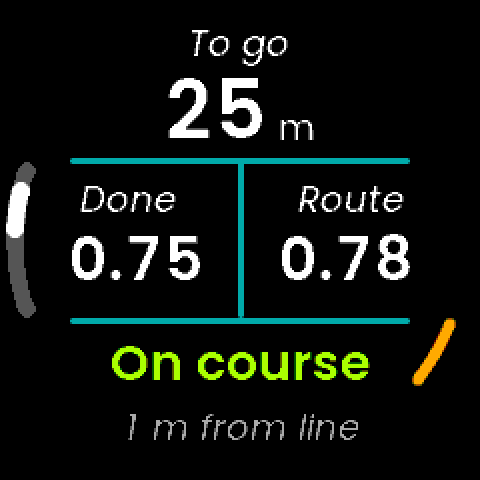
What’s left, and what’s next
Distance to go, done and the whole route, and how far you are from the line. The watch finds the turns itself: the map names the next from 400 m out, “Right 120 m”, and 50 m before it, a buzz. One for left, two for right; sharp bends and U-turns get it twice.
The way back
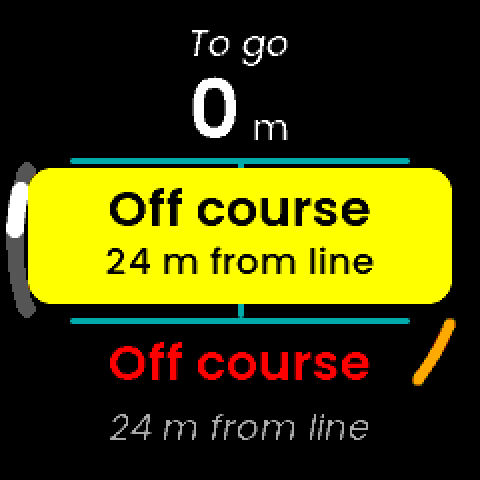
Stray 50 m for five seconds and it buzzes and jumps to the map, with an arrow pointing to the nearest part of the route and the distance to it. Back within 30 m, a second buzz: “Back on course”.
The climb still to come
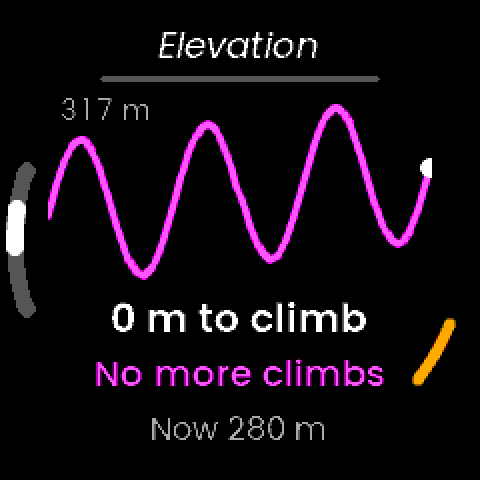
For routes with height in them: the profile, the climbing left, the next climb, “+95 m in 218 m”, and the height you’re at now.
Measured along the line
Done and to go, along your route.
Not as the crow flies. The watch works out where you are on the line and keeps to the leg you’re on, so a loop that crosses itself, or an out-and-back, never jumps to the wrong side.
Along the line0.0 km done · 7.2 km to go
As the crow flies to the finish0.0 km
The run screen, from the app
It’s a run, too
Your route and your run, in one app.
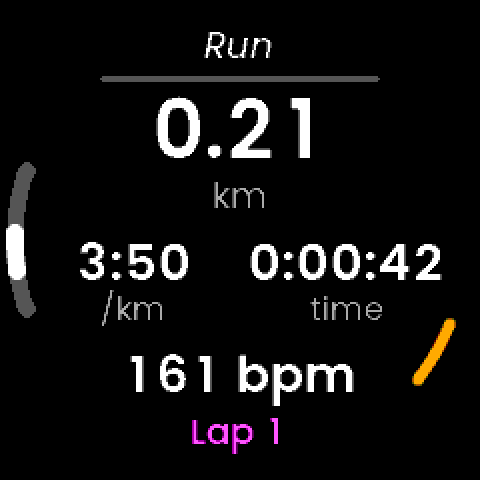
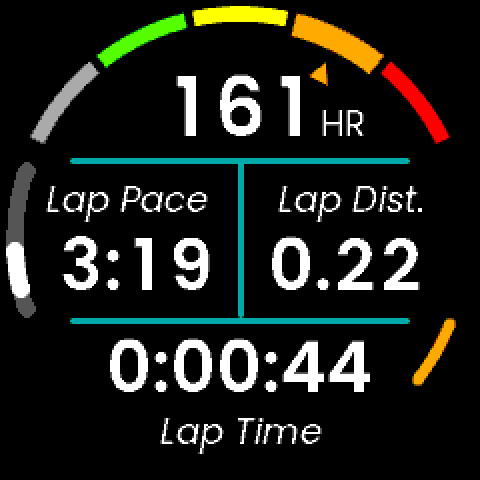
Time, distance, pace, heart rate and laps, saved as a normal run. The map is one more screen, a press away, and it comes to you when you need it.
- Map, navigation, elevation, run, lap and status screens
- One press flips between the map and your numbers
- No route? It’s a plain run, too
- No phone signal needed: the route lives on the watch
The screens
From start to saved. As they look on the watch.
- StartPick a route, or run without one.
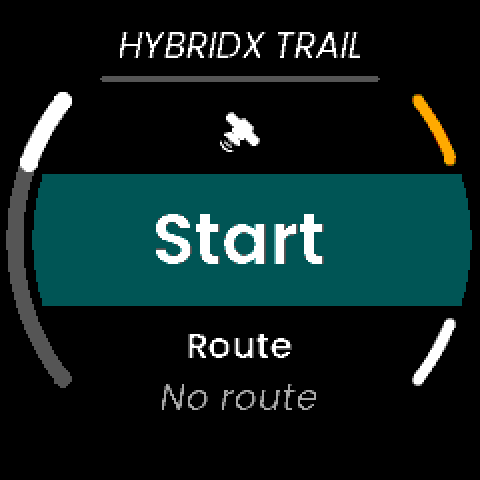
- The routeIts shape, distance and climb before you go.
- The whole routeZoomed right out to see it all.
- RunDistance, pace, time, heart rate, lap.
- LapHeart rate zone, lap pace, distance and time.
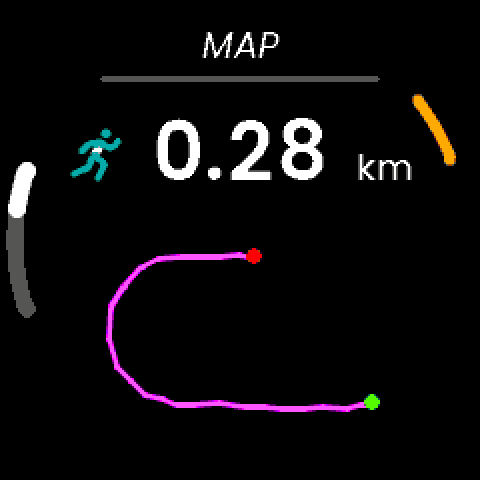
- SavedYour distance and the line you ran.
The film
Follow the line. Two and a half minutes, sound on.
Where it’s up to
Built one gate at a time. Nearly at the finish.
- DoneReading routesOn the watch, a real 50 km route: 1,418 points read and 1,190 kept, 10 m apart, in a third of a second.
- DoneThe route engineFollowing the line, the off-course alert, the map and the turns, checked by 135 automated tests.
- DoneThe appSix screens: map, navigation, elevation, run, lap and status.
- NowOn the watchField testing on real runs.
- NextRoutes from your phoneA GPX on your phone, a tap, and it’s on the watch. Working in testing.
- LastReleaseInto the UNA app store.
LaterFollow a route in reverse · Guidance back to the start · A breadcrumb of where you’ve been
Why UNA Watch
Built for a watch
you can fix.
UNA Watch is the modular GPS sports watch from Scotland: a watch you can repair and upgrade rather than replace, open to apps made for the sport you actually do. HybridX Trail is made for it from the ground up — a watch you can take anywhere, following a line you drew yourself.
- RepairableDesigned to be opened and fixed, not replaced.
- ModularHardware that upgrades with you.
- Made for your sportOpen to specialist apps like this one, not just the big names.
 Trailfor UNA Watch
Follow the line with UNA.
HybridX Trail is coming to UNA Watch. Get the watch now, and be ready when the line is.