Version 1.0 · for UNA Watch
Weigh in with UNA
X Weigh-in puts your weight trend on your wrist. Step on any scale, dial the number into your watch in a few presses, and see where your weight is really heading, beneath the day-to-day swings of water, salt and late meals.
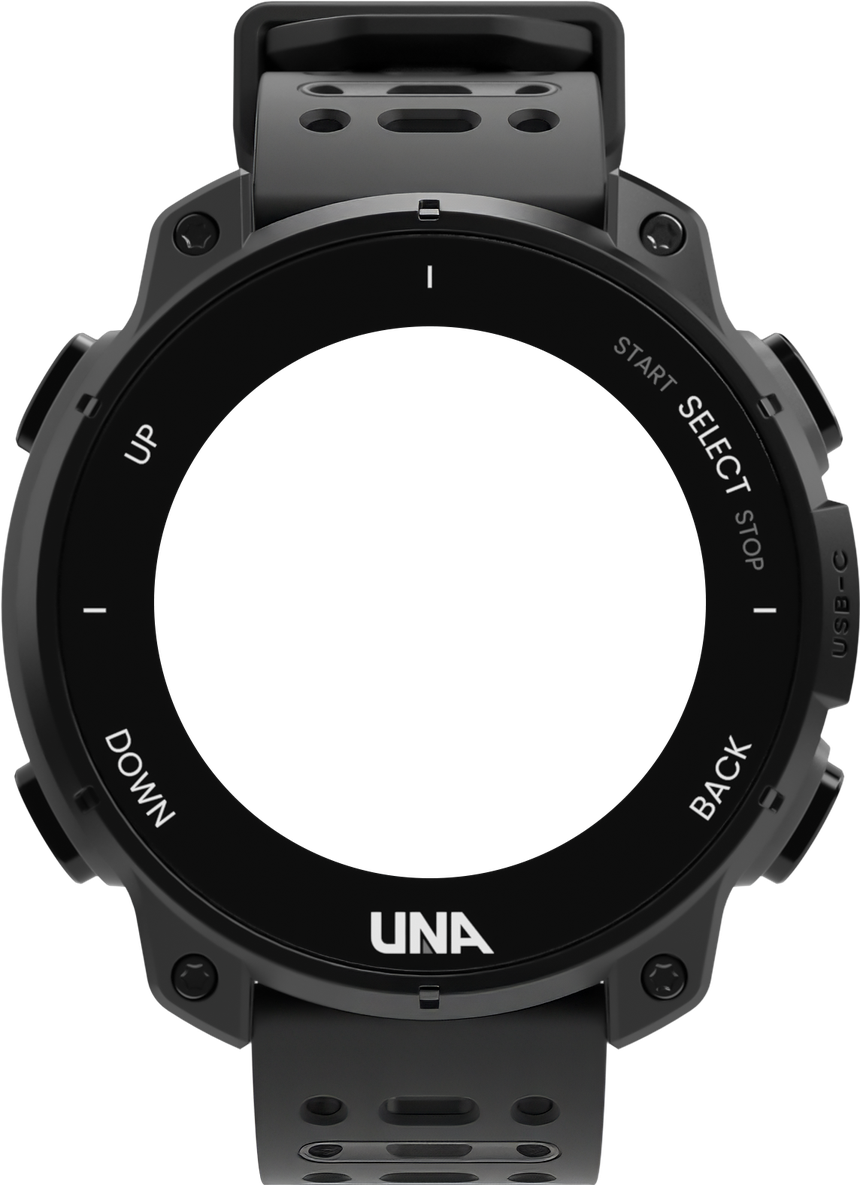
A made-up log, fast-forwarded: forty mornings, one dot each, and the trend through them.
The trend
The scale bounces. The trend doesn’t.
Water, salt and a late dinner move the scale from one morning to the next. X Weigh-in takes one weight a day, your latest, and moves its trend a fifth of the way towards it. One odd morning shifts the trend by a fifth of the jump; a real change shows within days. Set one morning yourself:
A fortnight at 82.0 kg, and one morning at 82.9. The trend that day moves +0.18 kg.
On the scale+0.9kg overnight
On the trend+0.18kg, a fifth of it
82.00 + (82.90 − 82.00) × 20% = 82.18
The price of smoothing is a little lag: on a steady change, the trend runs about four days behind the scale. It’s where your weight is heading, not what it was this morning.
How it works
Step on. Dial in. See the trend.
- 0181.8kg
Step on any scale
The one in your bathroom, the one at the gym, any scale at all. Nothing to pair and no phone needed: you read the number.
- 02
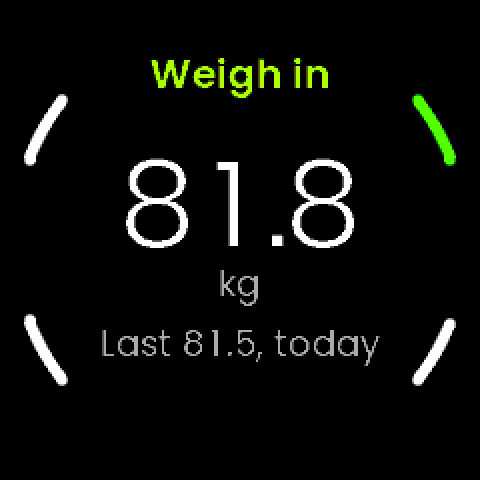
Dial it in on your watch
SELECT, then UP or DOWN in 0.1 kg steps, then SELECT. It starts from your last weigh-in, so the number is usually a press or two away. Hold either button to move quickly.
- 03
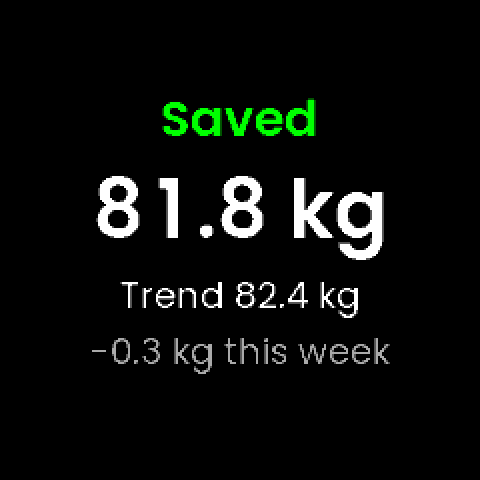
See where you’re heading
Saved, with your trend and how far it has moved this week. Weighed twice? The latest of the day counts, so a slip is fixed by weighing again.
Try it
Weigh in. Right here.
This is X Weigh-in, working: the app’s own screens, buttons and arithmetic. Turn the pages with UP and DOWN, press SELECT to weigh in, then go on to the next morning and watch the trend take each new weight a fifth at a time.
UP and DOWN turn the pages. SELECT to weigh in.
Keys: ↑ ↓ Enter Esc
81.5kg
Logged 81.5
Today’s trend: 82.56 + (81.50 − 82.56) × 20% = 82.35
- 2026-10-08,07:21,81.90
- 2026-10-09,06:49,82.40
- 2026-10-10,06:56,82.40
- 2026-10-11,06:40,82.70
- 2026-10-12,06:41,81.50
The watch here is drawn by this page after the app’s real screens, which are below. The trend, the 0.1 kg steps, the hold-to-repeat timings and the graph’s scale are the app’s own rules, ported from its code and checked against its tests. The person is made up: the sample log the app’s own test tools write, carried on a day at a time. Nothing you enter leaves this page.
On the watch
Four pages, a press apart.
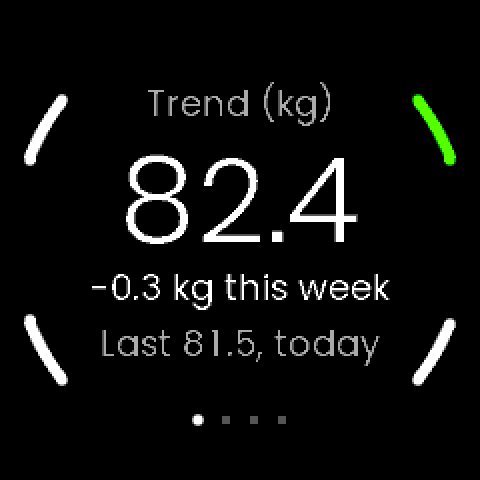
Your trend
The trend, large, with how far it has moved this week and your last weigh-in. A plain signed number: no goals, no warnings. It’s a tracker.
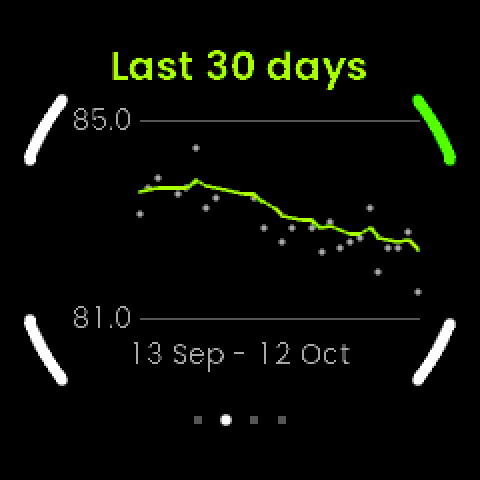
Thirty days
The trend line through a dot for every weigh-in. The scale is never shorter than 2 kg, so a steady week looks steady.
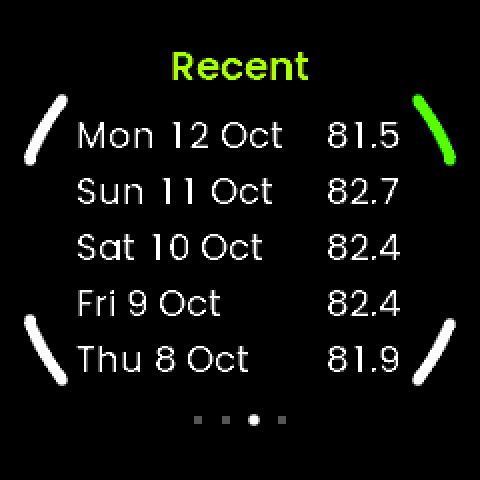
Your last five
The last five days you weighed in, newest first, to the tenth of a kilo.
Body numbers
BMI, from the height in your UNA profile, and the calories you burn at rest, from your birth year and sex in the app’s settings. Both from your trend, not one morning.
Home, Graph and Recent are the app’s real screens, from a made-up log. Body is drawn by this page with a made-up profile, as the app lays it out. BMI and resting kcal (the Mifflin-St Jeor equation) are estimates: X Weigh-in is a tracker, not a medical device.
The glance
Your trend, at a glance.
Add X Weigh-in Glance alongside the app and your trend sits on the watch’s glances screen, without opening anything: the trend, the week’s change, and your last 14 days as bars, one for each day you weighed in.
- Reads your log, and never writes to it
- The same trend as Home, to the decimal
- Needs the X Weigh-in app, where you weigh in
- Six weeks inThe newest bar is white. Up or down, the bars are just your weigh-ins.
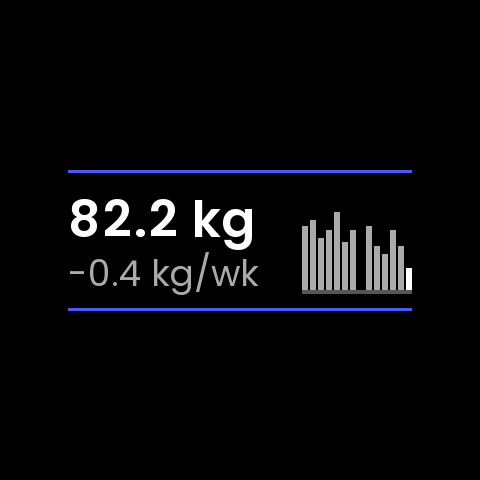
- A few days offA day with no weigh-in is a gap, so a break shows at once.
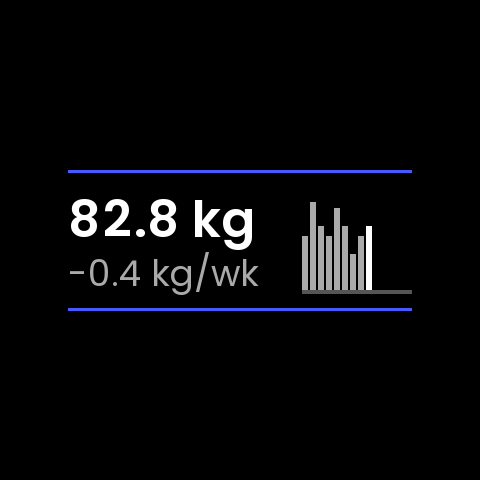
- The first daysThe week’s change reads
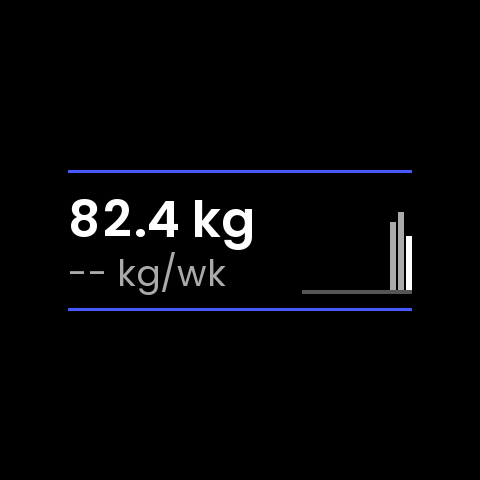
--until your log spans a week.
Drawn from the glance’s own layout code. The blue lines are the glances screen’s own separators, which the glance keeps between.
- date,time,kg
- …
- 2026-10-06,07:08,82.60
- 2026-10-07,06:52,83.20
- 2026-10-08,07:21,81.90
- 2026-10-09,06:49,82.40
- 2026-10-10,06:56,82.40
- 2026-10-11,06:40,82.70
- 2026-10-12,06:41,81.50
Your data
It stays on your watch. In a file you can open.
Your weigh-ins go nowhere: not to your phone, not to the UNA app, not to Strava. They live in one plain file on the watch, a line for each, that opens in any spreadsheet when you plug the watch into a computer.
- Nothing sent to your phone, the UNA app or Strava
- Never saved as a workout, so no fake activities in your feed
- Date, time and kg, a line per weigh-in, every one kept
- Height from your UNA profile, so nothing to type twice
Where it’s up to
Version 1.0. Built one gate at a time.
- DoneThe first lookYour height and weight from your UNA profile, read on a real watch.
- DoneThe trendThe log and the trend. 20% a day, chosen by measuring it on twenty sample logs.
- DoneThe screensHome, Graph, Recent and Body, and weighing in.
- DoneThe glanceYour trend on the glances screen, checked on the watch.
- NowVersion 1.0Released: the app and its glance, with 113 automated tests behind them.
- NextThe sweat-rate testWeigh before and after a session, enter what you drank, and see your sweat rate.
Why UNA Watch
Built for a watch
you can fix.
UNA Watch is the modular GPS sports watch from Scotland: a watch you can repair and upgrade rather than replace, open to apps made for the sport you actually do. X Weigh-in is made for it from the ground up — a watch you can keep for years, keeping a record that stays on it.
- RepairableDesigned to be opened and fixed, not replaced.
- ModularHardware that upgrades with you.
- Made for your sportOpen to specialist apps like this one, not just the big names.
 Weigh-infor UNA Watch
Weigh in with UNA.
X Weigh-in 1.0 is released for UNA Watch, with its glance alongside. Get the watch, step on the scale, and see where you’re heading.